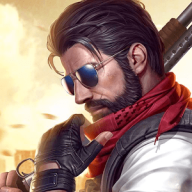
Survival Squad for Android
What is Survival Squad?
GNVID brings you Survival Squad, the action game for Android, in its latest version 1.0.27 as a free APK download from fast servers.
Survival Squad is described by its developer as follows: “Fight, kill, and survive! Tired of your monotonous daily routine? Craving a thrilling life full of twists and turns?” In Survival Squad, you are stranded on a deserted island, an island teeming with mountains, rivers, gas stations, large houses, and everything else you can imagine! On this island, you’re not alone: you embark on an adventure with 99 online players from around the world. Only one of you will survive! Eliminate the other players with the weapons at your disposal, plunder their resources, and immerse yourself in a captivating survival game! If you’re a fan of survival games, Survival Squad will win you over with its polished graphics, addictive gameplay, and unique design!
Changes made in version v1.0.27:
* Various optimizations and bug fixes for the game.
Instructions for installing and running the game:
– Start by downloading and installing the installation file.
Copy the com.q1.survival folder to the Android/obb directory in the device’s internal memory.
– Finally, launch the game.
Survival Squad specifications
| Version | 1.0.27 |
|---|---|
| Size | 76 MB |
| File format | APK |
| Android | 4.1+ |
| Internet | Needs an internet connection |
| Genre | Action |
| Updated | 2019-09-26 |
| Price | Free |
Download links
Download the APK file survival-squad-v1.0.27-gnvid.com.apk 76 MB Extra ZIP file survival-squad-v1.0.27-2-gnvid.com.zip 214 MBDirect links served by the GNVID download server.
How to install Survival Squad
- Download the APK file with the button.
- Allow "Install unknown apps" in Settings.
- Open the file and tap "Install".
Survival Squad FAQ
Is Survival Squad free?
Yes, you can download Survival Squad for free as APK.
Does Survival Squad work offline?
No, the game needs an internet connection.
Which Android version does Survival Squad need?
Android 4.1 or newer.
How do I install the APK file?
Download the APK file with the download button, then open it from your file manager. Allow installs from unknown sources if your phone asks.
Related games
 Badlands Blade Battle
v1.5.108
Download · 274 MB
 Crewmate Adventure: Animation Parkour
v1.2.5
Download · 68 MB
 Zombie Frontier 3
v2.69
Download · 168 MB
 Sniper Arena: PvP Army Shooter
v2.1.6
Download · 134 MB
 Blackmoor 2: Action Platformer
v2608.26
Download · 553 MB
 Payback 2
v2.106.16
Download · 226 MB
 Dead Paradise: Car Race Shooter
v2.7
Download · 146 MB
 Warhammer 40,000: Freeblade
v6.1.2
Download · 1380 MB
