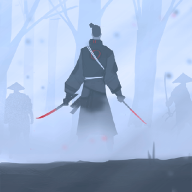
Samurai Story for Android
Samurai Story screenshots
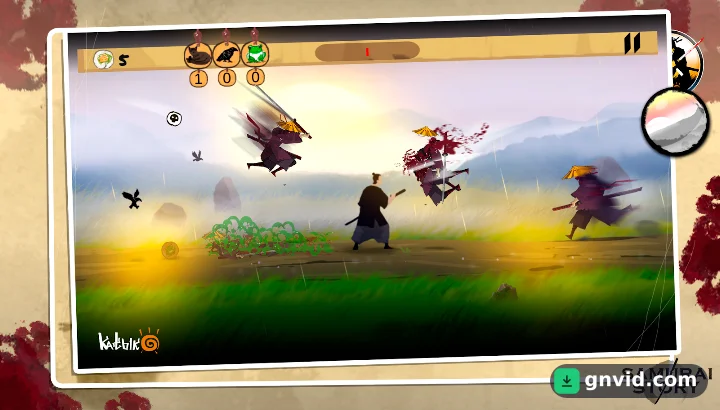
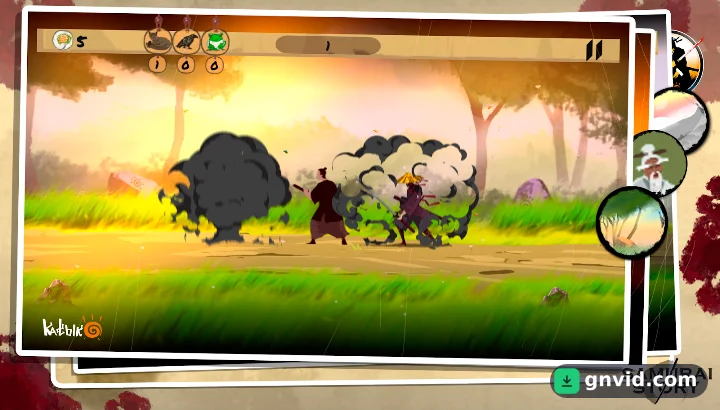
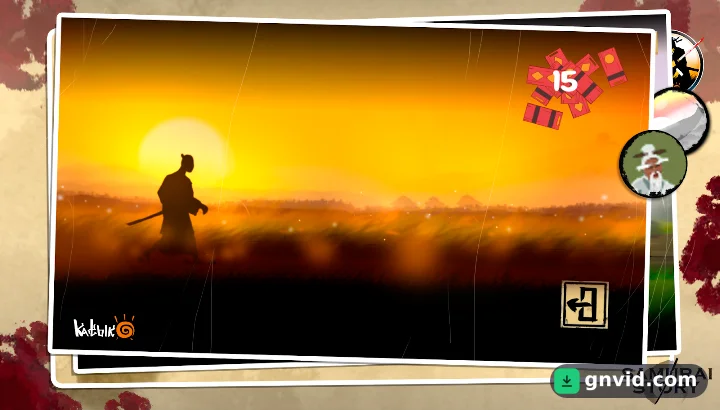
What is Samurai Story?
Fans of Japanese-themed action will want to grab the Samurai Story APK download for Android. Developed by KATbIK STUDIOS, the game puts you in the role of a samurai fighting his way through waves of ninjas, and it plays completely offline from an APK of roughly 90 MB.
Story and gameplay of Samurai Story
The plot is deliberately simple: you set out to find a man called Mr. Himura and uncover a great secret. The real draw is the level design and the moment-to-moment combat.
Although it is billed as an action game, Samurai Story is really a 2D platformer with some Metroidvania touches. Each stage asks you to defeat the ninja enemies in your path before moving on, using samurai weapons such as the katana and shuriken.
Controls rely on virtual buttons at the bottom of the screen. The left side handles moving forward and back, while the right side is for attacking and jumping. There is no dash move, which many games in the genre include, but you can perform a double jump. There is also no progression system or skill tree, so the game is easy to pick up and suits short sessions.
Game modes and content
The stages are spread across 4 modes, all well balanced and varied:
- History Mode: where your adventure begins and where you earn tokens by killing ninjas.
- Free Mode: a freer way to play.
- Fruit Mode: an extra mode with its own twist.
- Platformer: focused on jumping and traversal.
Tokens collected in History Mode matter a lot, because you spend them to unlock the other modes. Every mode keeps a fast, never-boring pace that fits the hack-and-slash samurai style.
Visually, the game is attractive, with creative, detailed art for both characters and world. Animations and effects have a comic-book feel, and the sound design, especially the sword-clash effects, rounds out the experience.
Requirements and installing the APK
You need a device running Android 8.0 or newer, plus enough storage for a file of about 90 MB. It is a standard APK, so no extra installer is required.
To install, download the file from GNVID, allow installs from unknown sources in your device settings, open the APK and tap Install. After that, you can play for free and without an internet connection wherever you are.
Samurai Story features
- 2D action platformer with a Japanese samurai theme
- 4 modes: History, Free, Fruit and Platformer
- Fight ninjas with katana and shuriken
- Simple touch controls with double jump
- Comic-book style visuals and punchy sword sound effects
- Fully playable offline
Samurai Story specifications
| Size | 90 MB |
|---|---|
| File format | APK |
| Android | 8.0+ |
| Internet | Plays offline |
| Genre | Action |
| Developer | KATbIK STUDIOS |
| Updated | 2025-09-23 |
| Price | Free |
Download links
Download the APK file samurai-story-gnvid.com.apk 90 MBDirect links served by the GNVID download server.
How to install Samurai Story
- Download the APK file with the button.
- Allow "Install unknown apps" in Settings.
- Open the file and tap "Install".
Samurai Story FAQ
Does Samurai Story work offline?
Yes, Samurai Story can be played entirely without an internet connection.
What Android version does Samurai Story need?
Android 8.0 or newer.
How big is the Samurai Story APK?
The APK is about 90 MB.
How do I unlock the other game modes?
Collect tokens by defeating ninjas in History Mode, then use them to unlock the other modes.
Related games
 Crewmate Adventure: Animation Parkour
v1.2.5
Download · 68 MB
 G-Switch 3
v1.3.12
Download · 116 MB
 Zombie Catchers
v1.69.16
Download · 170 MB
 Gunship Battle: Helicopter 3D
v2.8.21
Download · 164 MB
 Push'em all
v1.47
Download · 106 MB
 Nonstop Knight 2
v3.3.8
Download · 170 MB
 Counter Attack – Multiplayer FPS
v1.3.22
Download · 983 MB
 Metro 2055 – Last Day Survival
v0.0.417
Download · 1338 MB
