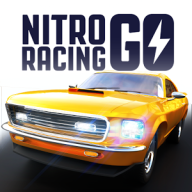
Nitro Racing Go Android Games for Android
What is Nitro Racing Go Android Games?
GNVID brings you Nitro Racing Go Android Games, the racing game for Android, in its latest version 1.16 as a free APK download from fast servers.
If you’re a fan of racing games, install Nitro Racing GO on your Android device and prove your driving skills to everyone! Experience the thrill of participating in illegal races! In Nitro Racing GO, race through the world’s most luxurious cities and admire breathtaking scenery! Win races and earn money to upgrade your car and increase its power and speed tenfold; over 45 upgrades are available! Different modes await you in Nitro Racing GO, and if you’re a fan of racing games, you’ll undoubtedly be captivated by its exceptional design and execution!
Nitro Racing GO’s general features include: an innovative car racing game experience; the ability to compete against more than 20,000 competitors in different leagues; entry into the world of illegal racing; unlocking special maps; stunning HD graphics; fantastic sound; and unique building!
Changes made in version V1.16:
* No changes are listed on Google Play for this version.
Nitro Racing Go Android Games specifications
| Version | 1.16 |
|---|---|
| Size | 77 MB |
| File format | APK |
| Android | 4.0.3+ |
| Internet | Plays offline |
| Genre | Racing |
| Updated | 2018-02-15 |
| Price | Free |
Download links
Download the APK file nitro-racing-go-v1.16-gnvid.com.apk 77 MB Extra OTHER file nitro-racing-go-v1.16-2-gnvid.com.otherDirect links served by the GNVID download server.
How to install Nitro Racing Go Android Games
- Download the APK file with the button.
- Allow "Install unknown apps" in Settings.
- Open the file and tap "Install".
Nitro Racing Go Android Games FAQ
Is Nitro Racing Go Android Games free?
Yes, you can download Nitro Racing Go Android Games for free as APK.
Does Nitro Racing Go Android Games work offline?
Yes, it plays without an internet connection.
Which Android version does Nitro Racing Go Android Games need?
Android 4.0.3 or newer.
How do I install the APK file?
Download the APK file with the download button, then open it from your file manager. Allow installs from unknown sources if your phone asks.
Related games
 Mad Skills BMX 2
v2.8.15
Download · 171 MB
 Beach Buggy Racing
v2026.10.07
Download · 182 MB
 Traffic Racer Open World
v0.6.8
Download · 686 MB
 Grand Prix Story 2
v2.7.0
Download · 82 MB
 Drag Battle 2: Race Wars
v1.00.03
Download · 214 MB
 Baseball 9
v3.9.6
Download · 307 MB
 Ace Racer
v3.0.73
Download · 1610 MB
 Drive Club: Car Simulator & Parking Games
Download · 154 MB
