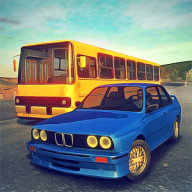
Driving School Classics APK for Android
What is Driving School Classics?
Looking for a driving simulator that rewards precision over raw speed? This Driving School Classics APK download for Android gives you the latest version, 2.2.0, of the popular driving test game from Ovidiu Pop. Get behind the wheel of cars, buses and trucks, enjoy attractive 3D graphics, and play without an internet connection once the game is installed.
Driving School Classics APK download for Android: how the game plays
Driving School Classics puts you in the seat of a driving school student. Each level is a test with a clear objective, and you need to complete it carefully while following the rules of the road. It feels closer to a real driving lesson than to an arcade racer.
You choose how you drive. Switch between an automatic gearbox for relaxed play or a manual transmission for a more realistic feel. Steering can be handled with on-screen buttons or by tilting your phone or tablet left and right, whichever suits you best.
The game has passed 500,000 downloads on Google Play and holds a solid 4.4 out of 5 rating, a good sign of how well it is received by fans of driving simulators.
Levels, vehicles and locations
There are more than 80 distinct levels, with challenges that build up as your skills improve. You are not limited to regular cars: buses and even trucks are part of the lineup, and each one handles differently.
Tests take place across several types of terrain:
- City streets with junctions and traffic.
- Mountain roads full of bends and slopes.
- Open desert routes.
Mixing vehicles and environments keeps the experience varied from one test to the next.
Requirements and installing the APK with data
The game runs on Android 4.1 or newer and does not need internet access to play. The download consists of an APK file of about 36 MB and a compressed OBB data file of about 292 MB, so make sure you have enough free storage.
Installation steps:
- Download and install the APK file.
- Download the data archive and extract it with any file extractor.
- Copy the com.ovilex.drivingschoolclassics folder to Android/obb on your internal storage.
- Launch the game.
GNVID provides only the original game as released by the developer.
Driving School Classics features
- 80+ driving test levels
- Drive cars, buses and trucks
- City, mountain and desert locations
- Automatic or manual transmission
- Button or tilt steering controls
- Full offline play with 3D graphics
Driving School Classics specifications
| Version | 2.2.0 |
|---|---|
| Size | 36 MB |
| File format | APK |
| Android | 4.1+ |
| Internet | Plays offline |
| Genre | Racing |
| Developer | Ovidiu Pop |
| Updated | 2020-06-25 |
| Price | Free |
Download links
Download the APK file driving-school-classics-v2.2.0-gnvid.com.apk 36 MB Extra ZIP file driving-school-classics-v2.2.0-2-gnvid.com.zip 292 MB Extra OTHER file driving-school-classics-v2.2.0-3-gnvid.com.otherOriginal, unmodified version as released by the developer, no mods or add-ons, served directly by the GNVID download server.
How to install Driving School Classics
- Download the APK file with the button.
- Allow "Install unknown apps" in Settings.
- Open the file and tap "Install".
Driving School Classics FAQ
Does Driving School Classics work offline?
Yes, the game can be played fully without an internet connection.
What Android version is required?
Android 4.1 or newer.
Where do I put the data files?
Extract the archive and copy the com.ovilex.drivingschoolclassics folder to Android/obb on internal storage.
How big is the download?
The APK is about 36 MB and the OBB data is about 292 MB.
Related games
 The Trail
Download · 662 MB
 Idle 9 Months
v1.41.7
Download · 239 MB
Updated
 Miners Settlement: Idle RPG
v5.2.0
Download · 133 MB
 Zombie Castaways
v4.61.1
Download · 298 MB
Updated
 WW2 Battle Front Simulator
v1.6.3
Download · 138 MB
Updated
 Rich Inc. Business & Idle Life
v1.22.5
Download · 142 MB
 King Of Sands
v1.68
Download · 1824 MB
 Sky Combat 2: Air Combat PvP
v1.6.0
Download · 829 MB
